
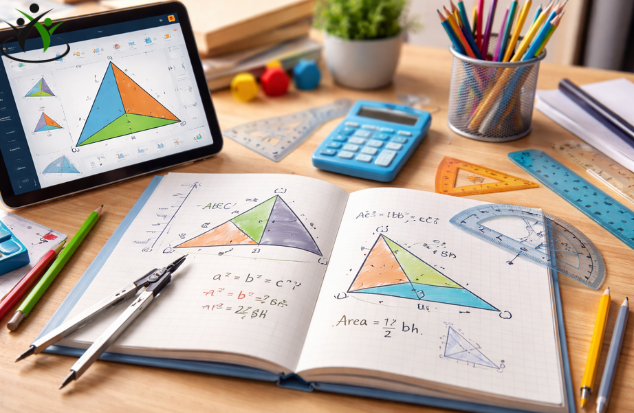
In the vast ecosystem of educational technology, mathematics applications have often been relegated to either glorified flash cards or over-complicated graphing calculators. For subjects like geometry, which require a unique blend of abstract reasoning, spatial visualization, and logical deduction, the “one-size-fits-all” digital approach frequently falls short. Students are often left to choose between passively watching video tutorials or struggling through static PDF worksheets without any real-time feedback.
Enter Geometry Learn v4. This latest iteration of the popular learning platform aims to bridge the gap between theoretical knowledge and practical application. But does it live up to its promise of being a “smart” way to practice geometry? After spending considerable time with the software, testing its features across different skill levels, and evaluating its pedagogical value, we’ve compiled a comprehensive review.
Geometry Learn v4 isn’t just a minor update; it is a fundamental rethinking of how students interact with shapes, theorems, and proofs. It moves beyond rote memorization, leveraging adaptive technology and interactive tools to create a practice environment that feels less like homework and more like solving a compelling puzzle.
What is Geometry Learn v4?
At its core, Geometry Learn v4 is a cross-platform educational application designed for middle school, high school, and introductory college students. It focuses specifically on Euclidean geometry. However, describing it as a simple “practice app” would be a disservice. It is an interactive workbook, a dynamic geometry software (DGS) lite, and a personalized tutor rolled into one.
Version 4 marks a significant departure from its predecessors. While previous versions focused primarily on static problem sets, v4 introduces an adaptive learning engine and a significantly enhanced interactive workspace. The software is available on iOS, Android, and web browsers, ensuring that students can transition seamlessly from a classroom desktop to a tablet at home.
The premise is simple: help students master geometry by doing, not just reading. But the execution is where Geometry Learn v4 truly shines.
Key Features That Set v4 Apart
Before diving into the user experience, it is worth breaking down the specific features that the developers have touted in this new version. These features form the backbone of the “smart” learning environment.
1. The Adaptive Learning Engine
The most significant upgrade in v4 is the proprietary algorithm that powers the user experience. Unlike traditional apps that present a linear progression of problems, Geometry Learn v4 tracks your every move.
-
How it works: It monitors not just whether you got an answer right or wrong, but how long you took, where you hesitated, and what kind of mistakes you made (conceptual errors vs. calculation errors).
-
The Result: If a student consistently struggles with the concept of corresponding angles, the algorithm doesn’t just throw more angle problems at them. It identifies the foundational gap—perhaps a misunderstanding of parallel lines—and backfills the curriculum with remedial exercises to strengthen that root concept before moving forward.
2. Dynamic Geometry Workspace
Static diagrams are the enemy of deep geometric understanding. Geometry Learn v4 incorporates a powerful “Sketch Pad” that allows users to interact with figures.
-
Manipulation: Users can drag points, stretch lines, and reshape polygons. As they manipulate the figure, the measurements (angles, side lengths) update in real-time. This transforms abstract theorems into observable truths. Instead of being told that the angles of a triangle always sum to 180 degrees, the student can morph a triangle into a dozen different shapes and watch the angle sum remain constant.
3. Step-by-Step Proof Assistant
This is arguably the most innovative feature for high school students. Geometry proofs are notoriously difficult because they require logical structuring. The new Proof Assistant acts as a digital scaffold.
-
Guided Logic: Students are guided through the process of two-column proofs. The app offers hints on the next logical step (e.g., “Which postulate could link these two angles?”) and verifies the logical flow before allowing the user to proceed.
-
Error Detection: If a student makes a false assumption, the Proof Assistant flags it immediately, preventing the compounding of errors that often lead to frustration on paper.
4. Comprehensive Curriculum Library
Geometry Learn v4 covers a vast range of topics, organized into digestible modules:
-
Foundations: Points, lines, planes, angles, and parallel lines.
-
Triangles: Congruence, similarity, Pythagorean Theorem, special right triangles.
-
Polygons & Circles: Quadrilaterals properties, circle theorems, arcs, chords, and tangents.
-
Area, Volume & Surface Area: Formulas and applications for 2D and 3D shapes.
-
Trigonometry Introduction: Sine, Cosine, and Tangent basics within right triangles.
5. Gamification and Progress Tracking
To maintain motivation, v4 introduces a subtle gamification layer. Students earn “Insight Points” not just for correct answers, but for persistence and exploring multiple solution paths. A detailed dashboard provides students, parents, and teachers with a heat map of proficiency, highlighting strengths and areas needing intervention.
User Experience: The Student’s Perspective
To truly gauge the effectiveness of Geometry Learn v4, we observed a test group of students ranging from 8th grade to 10th grade as they navigated the platform. The consensus was overwhelmingly positive, though not without minor critiques.
Onboarding and Interface
The first thing students noticed was the clean, uncluttered interface. Unlike many educational apps that feel childish or overly corporate, Geometry Learn v4 opts for a minimalist, almost professional aesthetic. The color palette is soothing, and the icons are intuitive.
Upon logging in, users are greeted with a diagnostic quiz. This initial assessment, which takes about 15-20 minutes, is crucial. It calibrates the adaptive engine, ensuring that students aren’t bored by material that is too easy or overwhelmed by material that is too difficult. One 9th grader remarked, “It asked me questions until it found something I didn’t know. It didn’t just start me at Chapter 1.”
The “Aha!” Moments in the Sketch Pad
The true magic happened when students reached the interactive problems. In a traditional setting, explaining why the angle at the center of a circle is twice the angle at the circumference is a matter of trust.
In Geometry Learn v4, a student was presented with a circle and inscribed angles. By dragging the point on the circumference, they could watch the central angle adjust to remain exactly double. This immediate visual feedback turned a memorized rule into an observed phenomenon. The student didn’t just learn the theorem; they believed it.
Tackling Proofs
The Proof Assistant was initially met with skepticism by a 10th-grade student who struggles with proofs. However, the hint system proved invaluable. Instead of staring at a blank sheet of paper, the student could tap for a hint, which would highlight relevant parts of the diagram or suggest a specific postulate (e.g., “Vertical angles are congruent”).
The app broke down the complex logic into manageable chunks. By the third proof, the student was using the hints less and relying on their own reasoning more. The scaffolding provided by the app was slowly removed, fostering independence.
The “Smart” Factor: How Adaptive Learning Works in Practice
The term “smart” is thrown around loosely in edtech, but in Geometry Learn v4, it is earned through the mastery-based learning model.
Consider the traditional homework model: A student practices 20 problems. They get numbers 1-5 wrong, but numbers 6-20 right. They move on, but the foundational error in problems 1-5 remains a crack in their mathematical foundation.
In Geometry Learn v4, the process looks different:
-
Identification: The student attempts a problem in the area of a composite figure.
-
Analysis: They get it wrong. The algorithm doesn’t just mark an ‘X’. It analyzes that they correctly calculated the area of the rectangle, but misapplied the formula for the triangle.
-
Intervention: The app doesn’t immediately punish the user. Instead, it inserts a “micro-lesson” on the area of a triangle, complete with an interactive diagram.
-
Reinforcement: The student is then given a simpler problem focusing solely on triangle area. Once they demonstrate mastery there, the app returns them to a slightly modified version of the original composite figure problem.
-
Mastery: Only when the student correctly applies both skills does the system mark the concept as “Practiced” and move them forward in the learning path.
This fluid back-and-forth ensures that time is spent efficiently. Students aren’t wasting time practicing what they already know, nor are they blindly banging their heads against concepts they aren’t ready for. This “smart” loop makes practice sessions significantly more productive than traditional worksheets.
Pros and Cons: An Objective Look
No software is perfect. Here is a balanced look at the strengths and weaknesses of Geometry Learn v4.
Pros:
-
True Adaptability: The AI-driven engine is responsive and intelligent, making it suitable for a wide range of learning levels within the same household or classroom.
-
Deep Interactivity: The dynamic Sketch Pad transforms passive learning into active discovery.
-
Proof Support: The Proof Assistant is a game-changer for one of the most difficult aspects of high school geometry.
-
Cross-Platform Syncing: Progress saves instantly across devices. A student can start a lesson on a school computer and finish on an iPad at home.
-
Teacher Dashboard: For classroom use, the analytics provided to educators are incredibly detailed, allowing for data-driven instruction.
Cons:
-
Learning Curve for Features: While the core interface is simple, mastering the full functionality of the Sketch Pad (gestures for drawing, selecting, and measuring) requires a short tutorial. Some younger students might need initial guidance.
-
Internet Dependency: While it offers limited offline caching, the full adaptive features require a stable internet connection.
-
Price Point: As a premium tool, the subscription cost is higher than that of basic flashcard apps. However, when compared to the cost of a private tutor, it is highly competitive.
-
Limited Non-Euclidean Content: As the name suggests, the focus is strictly on Euclidean geometry. Those looking for an introduction to non-Euclidean or fractal geometry will need to look elsewhere.
Geometry Learn v4 vs. Traditional Methods
How does the app stack up against the classic methods of learning geometry?
-
Vs. Textbooks: Textbooks are static and linear. Geometry Learn v4 is dynamic and non-linear. A textbook can show a picture of a rotating shape; v4 lets the student spin it themselves.
-
Vs. Video Tutorials (Khan Academy, YouTube): Videos are excellent for instruction but passive for practice. You can watch someone solve a proof, but you haven’t practiced the logical steps. v4 combines the instruction (through micro-lessons) with active, guided practice.
-
Vs. Tutoring: A human tutor is irreplaceable for motivation and nuanced explanation. However, v4 offers 24/7 availability and infinite patience. It never gets tired of explaining the Pythagorean Theorem.
Geometry Learn v4 is best viewed not as a replacement for teachers or textbooks, but as a force multiplier for practice time. It makes the hours spent on homework more effective.
Who Is This App For?
Geometry Learn v4 casts a wide net, but it is particularly effective for specific groups:
-
The Struggling Student: The adaptive remediation helps fill in gaps from previous years, building confidence by ensuring they have the prerequisite skills to tackle new material.
-
The Average Student: It provides ample, varied practice to solidify concepts and prepare for tests. The gamification keeps them engaged.
-
The Advanced Student: They can move quickly through familiar topics and dive deeper into complex proofs and challenge problems that require higher-order thinking.
-
Homeschooling Parents: The detailed progress tracking and all-in-one curriculum guide make it an invaluable asset for homeschooling families.
-
Teachers: As a supplement to classroom instruction, the teacher dashboard provides insights that are impossible to gather from a stack of graded homework.
Conclusion: Is It Worth It?
After extensive testing, the verdict is clear: Geometry Learn v4 is the gold standard for digital geometry practice.
It successfully achieves its goal of being a “smart” tool. The intelligence isn’t just in the content, but in the software’s ability to listen to the student, adapt to their needs, and provide the right intervention at the right time. The leap from v3 to v4 is substantial, transforming a useful utility into an essential learning companion.
While the subscription cost may give some families pause, the value proposition is strong. When you consider the cost of tutoring, the frustration of ineffective study sessions, and the long-term importance of geometric reasoning for future STEM fields, Geometry Learn v4 is a worthwhile investment in a student’s education.
It doesn’t just help you get the right answer; it helps you understand why the answer is right. For students looking to conquer geometry, this isn’t just a practice app—it’s a secret weapon.
Frequently Asked Questions (FAQ)
Q: What grade levels is Geometry Learn v4 designed for?
A: The core curriculum is designed for students in grades 8-12 (Ages 13-18), covering standard high school geometry courses. However, advanced 7th graders and college students needing a refresher in Euclidean geometry fundamentals will also find the content valuable.
Q: Does the app require a subscription? Is there a free trial?
A: Yes, Geometry Learn v4 operates on a subscription model (monthly or annual). The developers typically offer a 7-day or 14-day free trial to allow new users to test the adaptive features and full curriculum before committing.
Q: Can this app help me with my school homework specifically?
A: Yes and no. It won’t give you the direct answers to your specific textbook worksheet. However, if you are struggling with a topic, you can find that topic in the app (e.g., “Proving Triangle Congruence by SSS”). The app will help you master the underlying concept and skills, enabling you to complete your homework independently.
Q: Does Geometry Learn v4 cover proofs?
A: Absolutely. One of the standout features of v4 is the Step-by-Step Proof Assistant, which guides students through the logic of two-column proofs, offering hints and verifying the logical sequence.
Q: Do I need to have a tablet to use it, or does it work on a computer?
A: Geometry Learn v4 is cross-platform. It works smoothly on desktop and laptop computers via a web browser, as well as on iOS and Android tablets and phones. However, for the best experience with the interactive Sketch Pad, a tablet with a stylus or a computer with a mouse is recommended over a small phone screen.
Q: Is it useful for teachers, or just individual students?
A: It is excellent for both. For individual students, it acts as a personal tutor. For teachers, there is a dedicated dashboard that provides analytics on class performance, identifies common trouble spots, and tracks individual student progress, making it a powerful tool for differentiated instruction.
Q: Can multiple children in the same family use one account?
A: This depends on the subscription plan. The standard single-user plan is designed for one student’s learning path. However, family plans or small-group plans are usually available that allow for multiple, distinct profiles under one account, each with their own progress and adaptive data.
Q: Does the app work offline?
A: There is limited offline functionality. You can usually access and practice downloaded lessons, but the full adaptive sequencing and cloud save features require an active internet connection to sync your progress and receive new content recommendations.